Most money apps want your bank password, read your text messages, or make you plan a budget you'll blow by the 15th. We only ask you to log the amount. Hit save. Add details, edit or delete whenever you like. No accounts, no logins, no passwords to forget.
The usual way
With TxnApp
Plan a budget for every category
Set one savings goal
Blow past it by mid-month
Spend normally and log as you go
Give up after a few months
See each category at month end, spend wiser next month
Hand over your bank login or SMS
Add entries yourself, accurately
Your data on someone else's server
Your data on your phone and your own Google Drive
Features
Everything you need to track money. Nothing you don't.
01/One-time
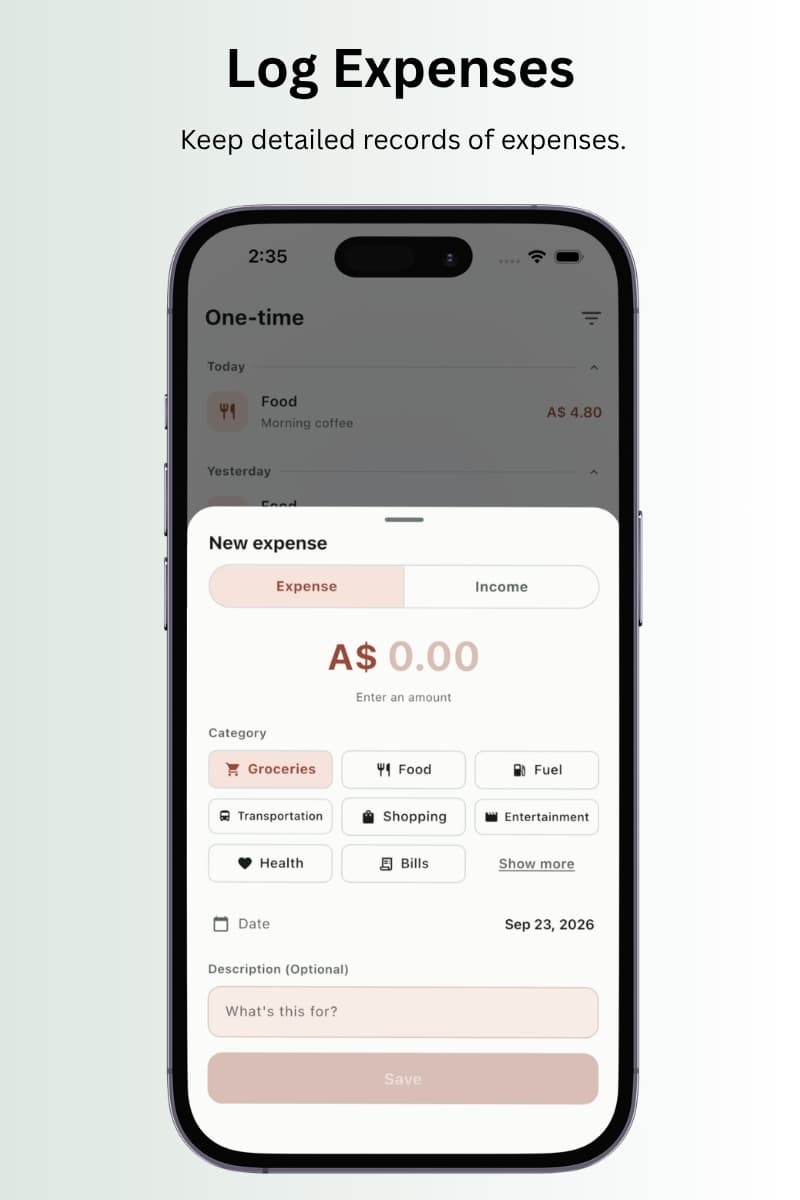
Log it before you forget it.
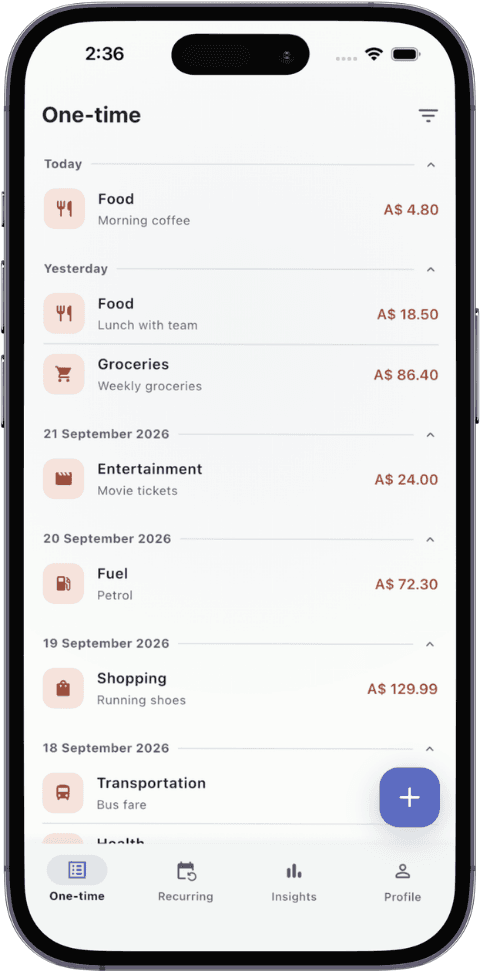
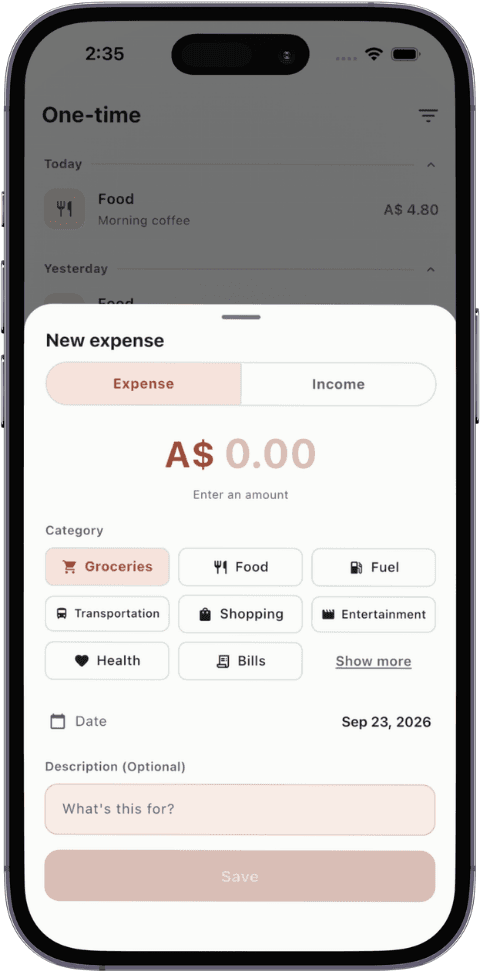
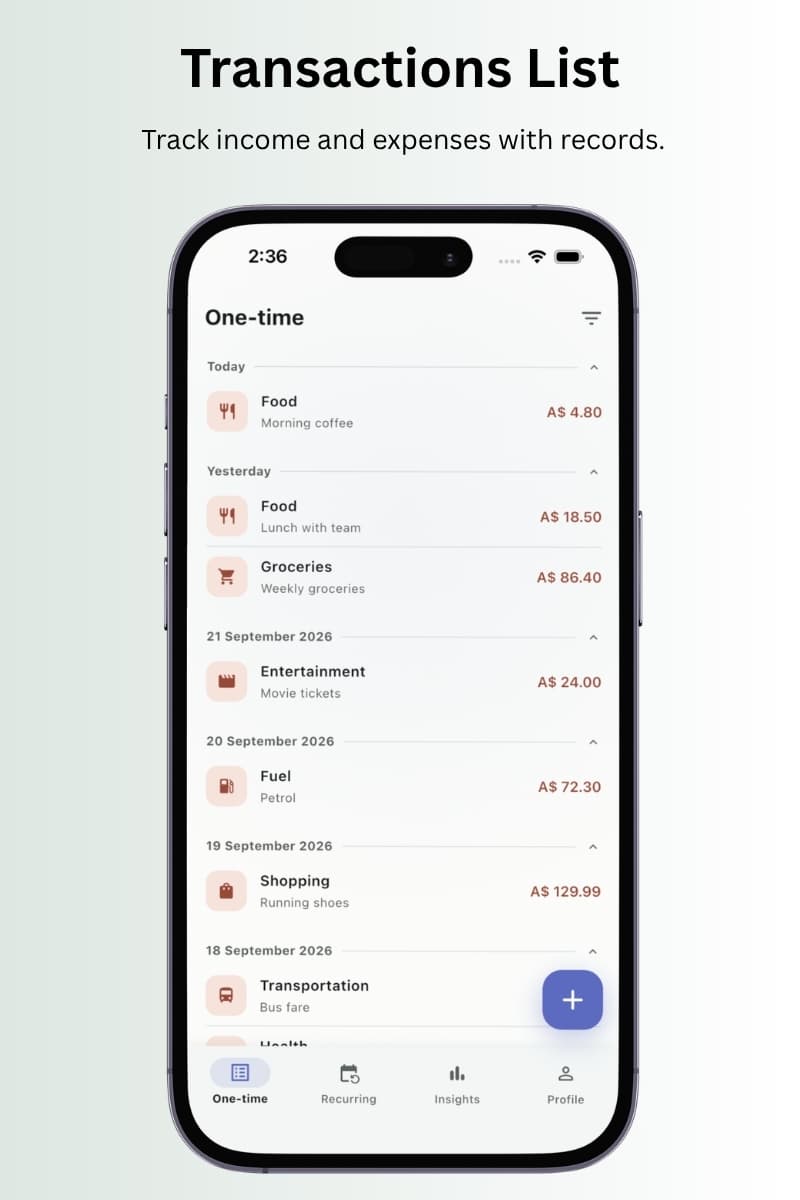
Tap +, type the amount, hit save. 20+ categories like groceries, food, fuel and bills are ready to go, and you can add or delete your own. Snap the receipt with your camera or pick it from your photos, and add details or fix anything later.
Attach receipt photos from camera or gallery
Edit any entry later, date and all
Grouped by day so you can scan a week fast
02/Recurring
Rent, salary, subscriptions. Set once.
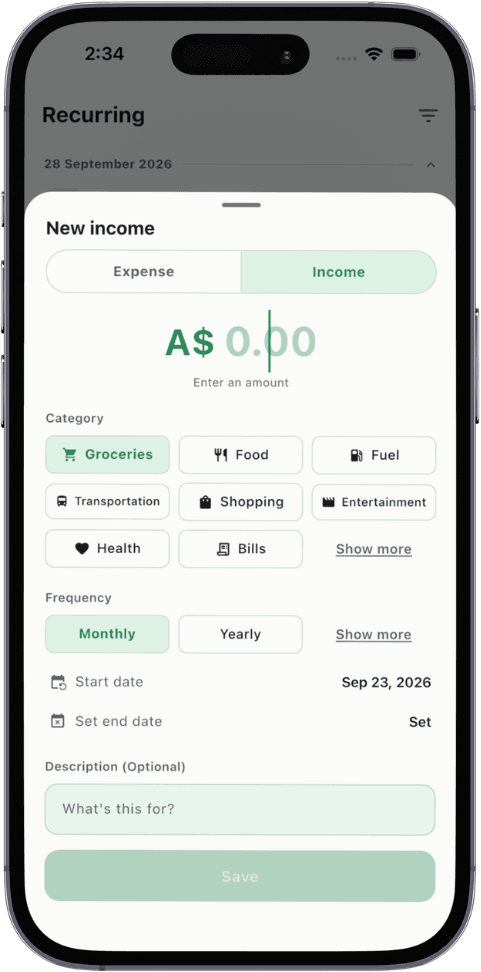
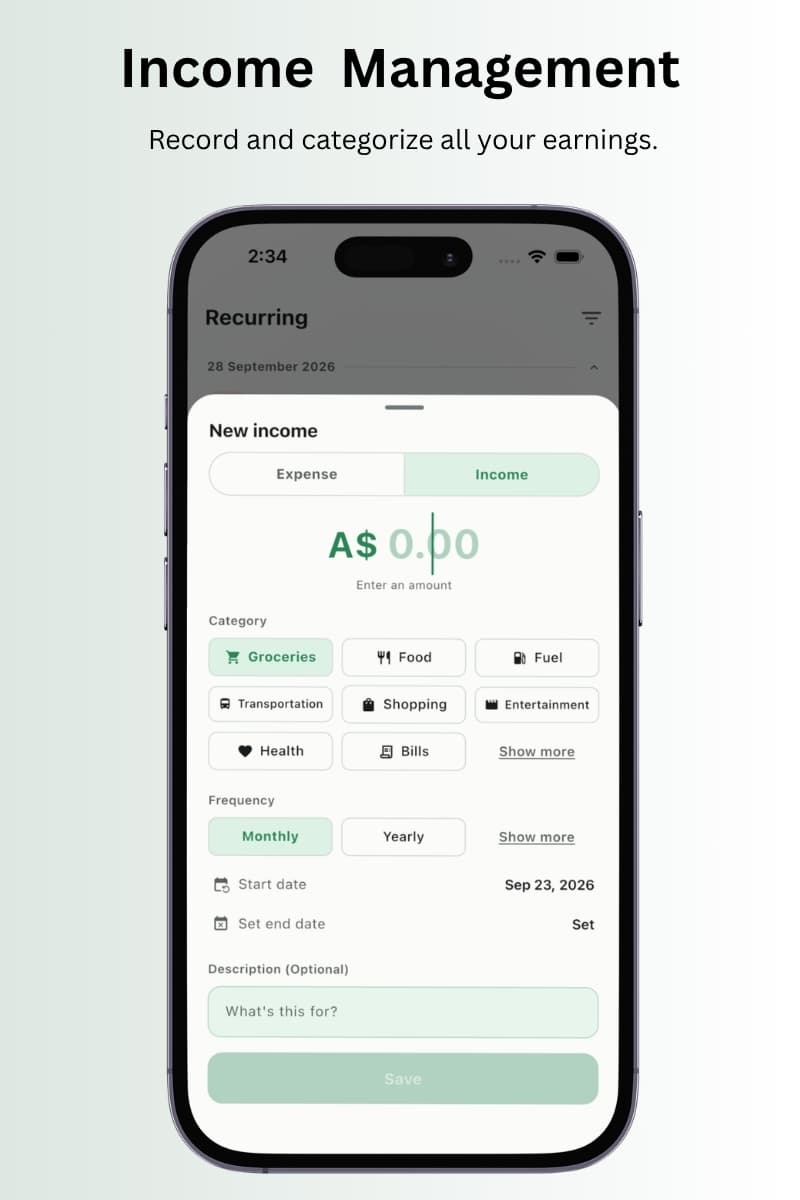
Add a payment that repeats and TxnApp counts it every time it comes around. Pick monthly, yearly or another frequency, add an end date if it stops, and turn on a reminder so nothing sneaks up on you.
Start and end dates
Reminders on or off per payment
Counted in your totals automatically
03/Insights
Your week and month on one screen.
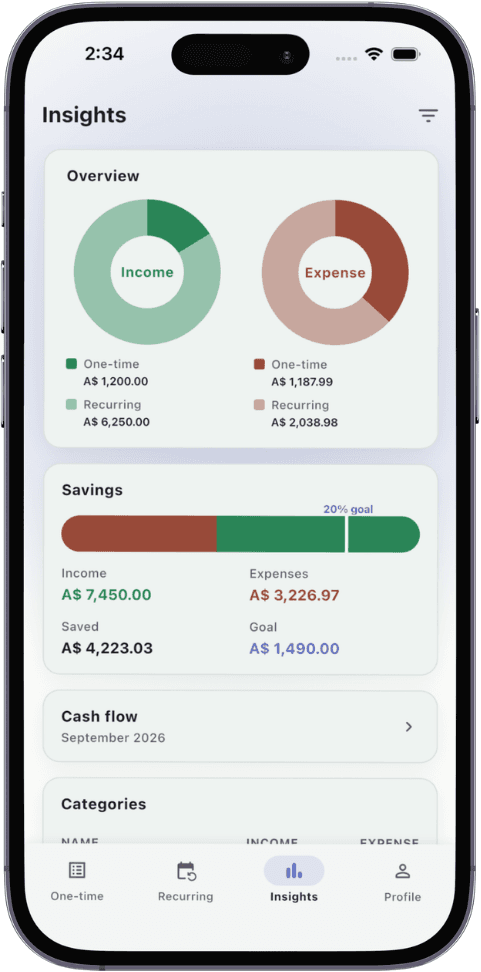
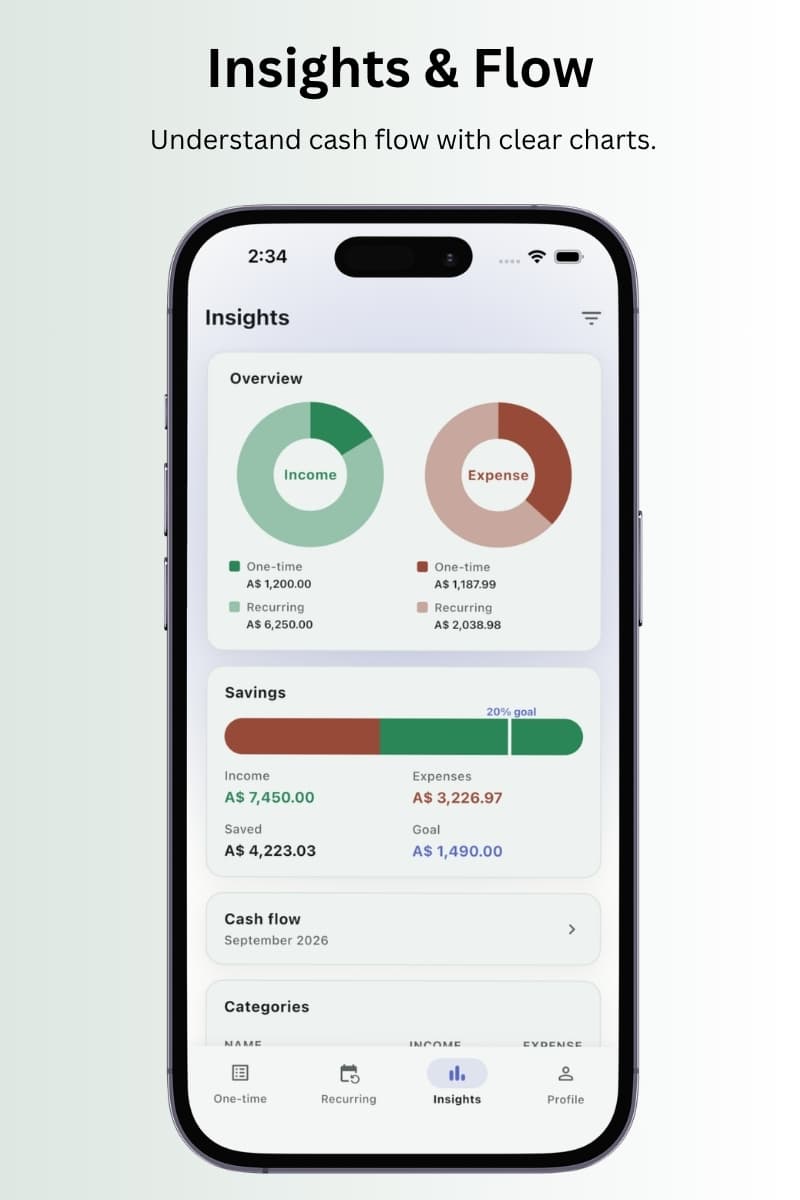
See income and expenses split into one-time and recurring, how much you kept, and which categories took the most. Switch cash flow between weekly and monthly to see exactly when money comes in and goes out.
Weekly and monthly cash flow
Income vs expense breakdown
Category totals against your savings goal
04/Savings goal
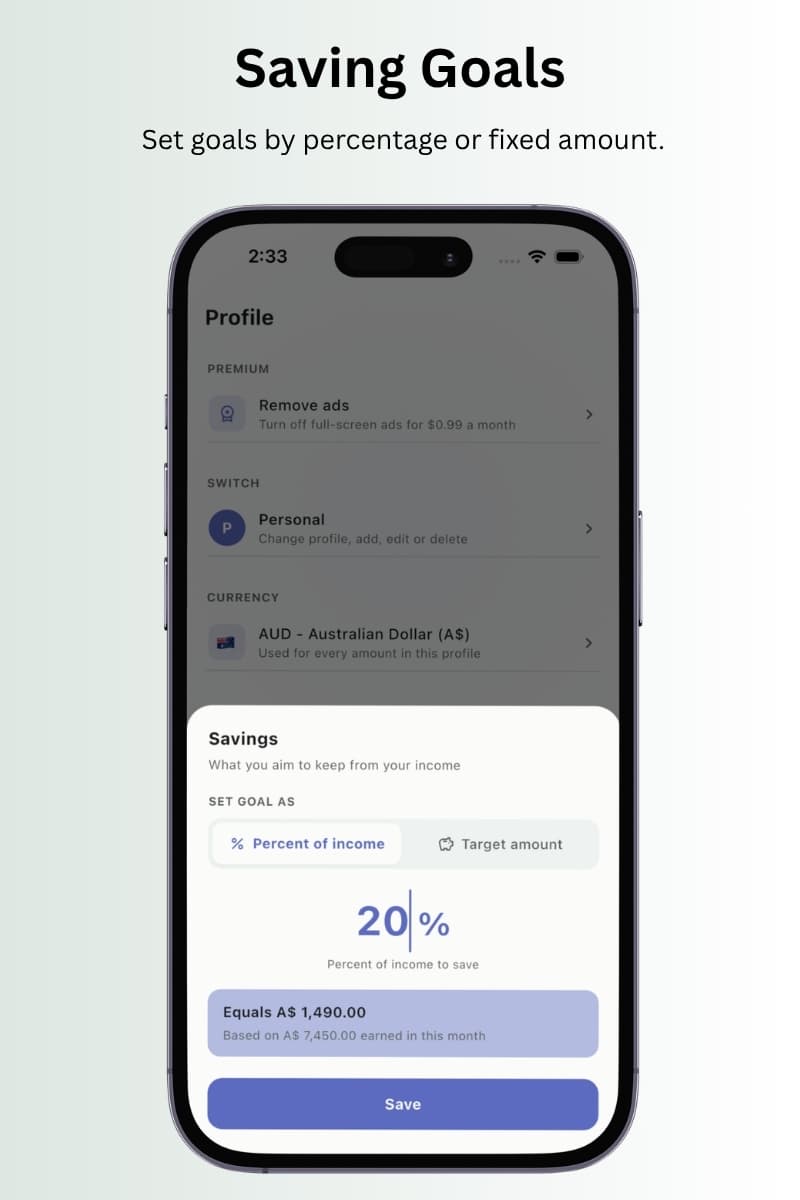
Skip the budget. Set a savings goal.
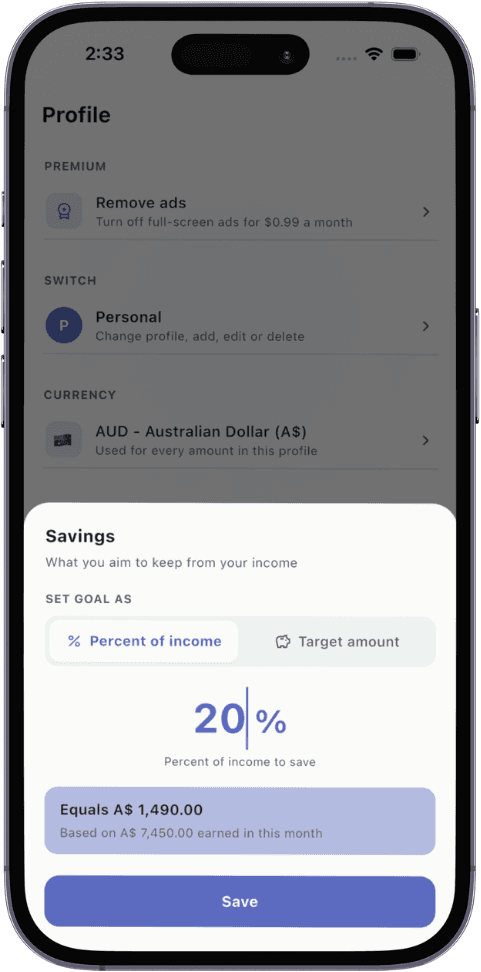
Budget plans take ages to set up and most months blow past them anyway. Set what you want to keep instead, as a percentage of income or a fixed amount. At month end you'll see where every category landed, so next month you spend wiser without planning a thing.
Percent of income or target amount
Category totals at month end
No budget spreadsheets to maintain
05/Profiles
Keep personal, home and side hustle apart.
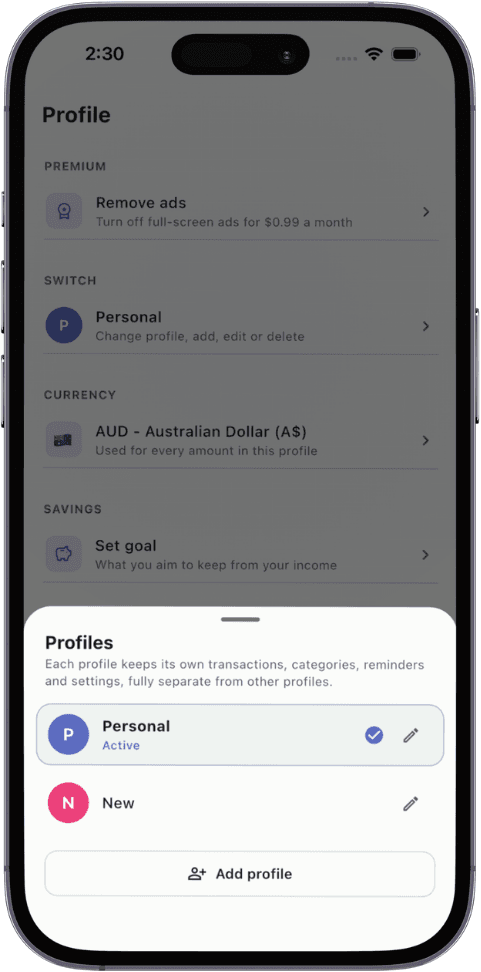
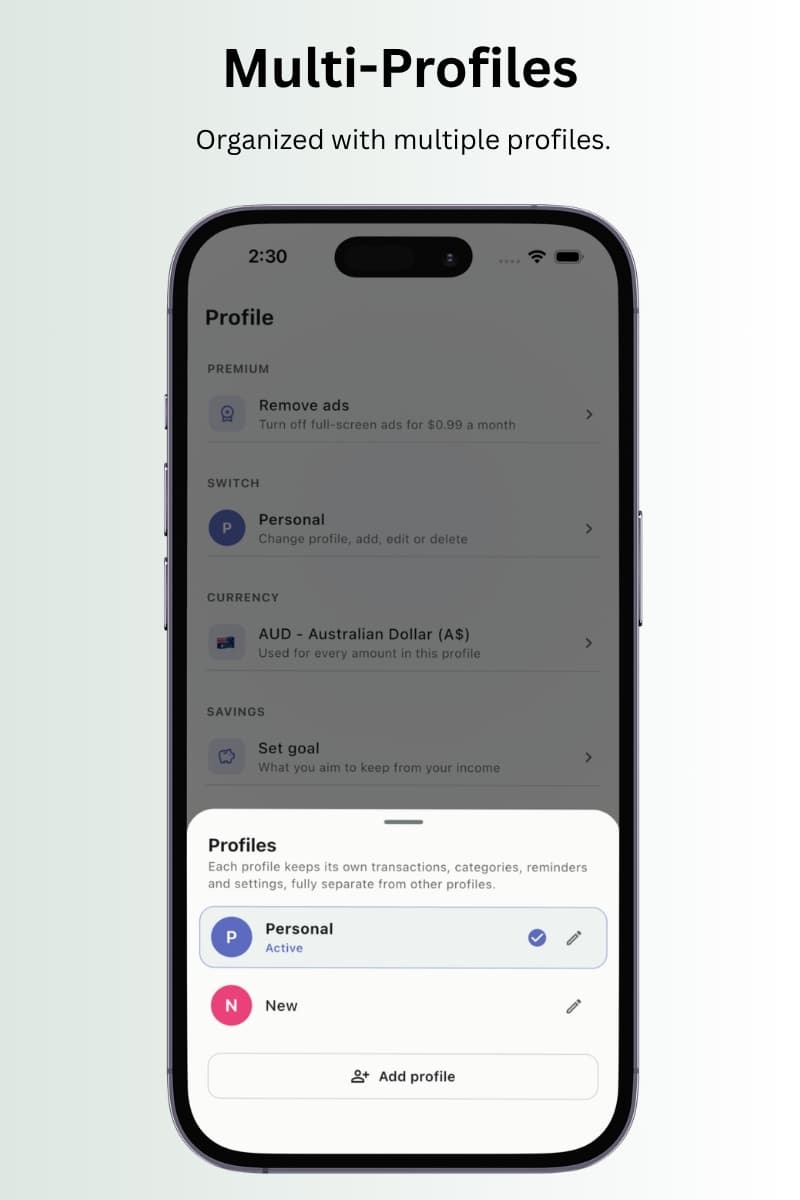
Every profile is fully separate: its own transactions, categories, reminders, currency, settings and backups. Switch in two taps. Nothing leaks from one to another.
20+ default categories per profile, add or delete your own
Separate Google Drive backup and restore per profile
A different currency per profile
06/Backup & restore
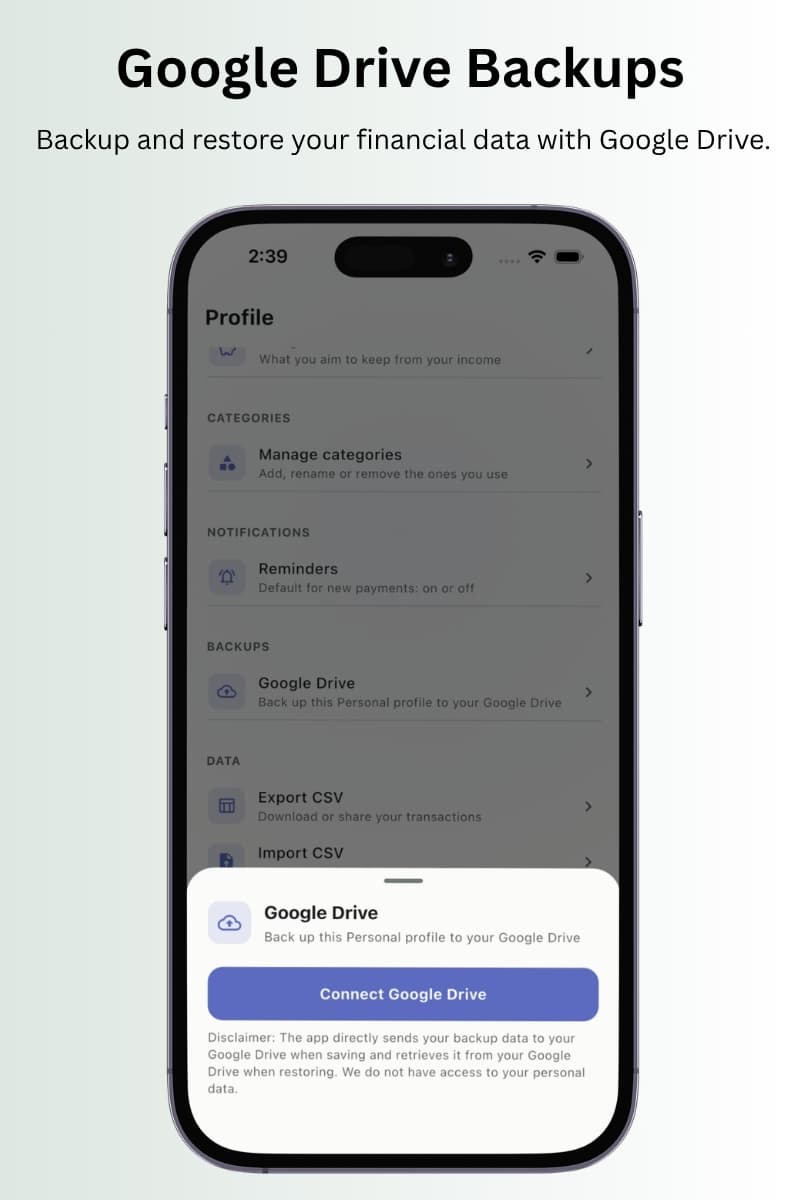
Back up to your own Google Drive.
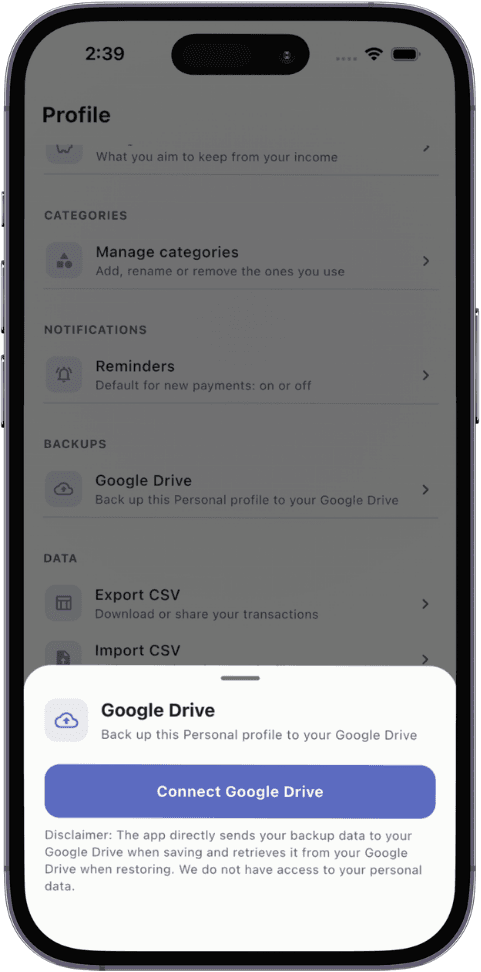
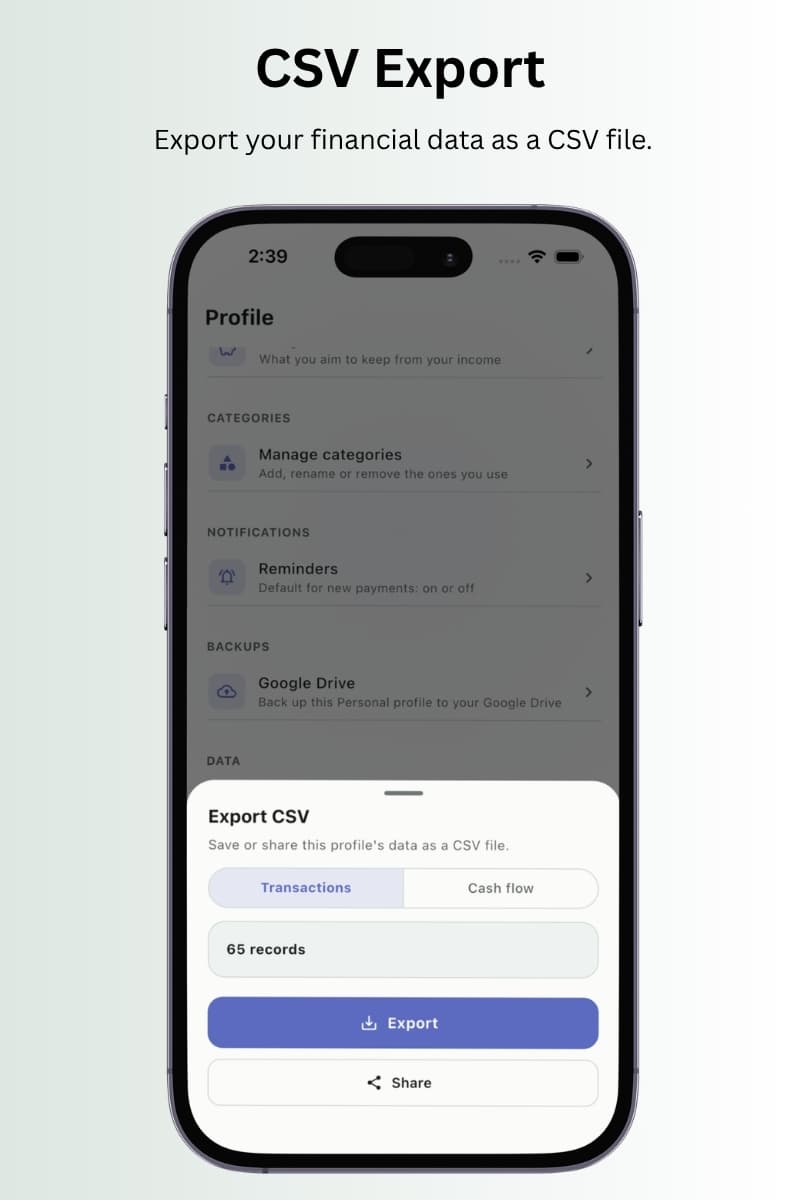
Save a backup straight from your phone to your Google Drive and restore it any time, including on a new phone. Nothing passes through our servers. Prefer spreadsheets? Export or import CSV.
You already trust Google with your email and files. TxnApp keeps your records on your phone and, when you back up, sends them straight to your own Google Drive. We never receive, store or see your data in between.
We use a Google OAuth client only because Google requires one to connect an app to Drive. It's a technical requirement, nothing more.
Yes. TxnApp is free to download and every feature is included. The free version shows ads only on the Insights page, never while you're adding or editing entries. If you'd rather not see them, you can remove ads for $0.99 a month.
Do I need to connect my bank account?
No. You add transactions yourself, which takes a few seconds each. There's no bank login, no card linking and nothing shared with your bank.
Where is my data stored?
On your phone. If you turn on Google Drive backups, the app sends your backup straight to your own Google Drive and reads it back from there when you restore. We don't have access to your personal data.
Why doesn't TxnApp read my SMS messages?
Two reasons. Reading your texts means an app sees far more than payments, which is a real privacy risk. And bank SMS formats vary, so auto-detected amounts and categories are often wrong. You add each entry yourself, so your numbers are accurate.
Is my data used to train AI?
No. Your transactions, receipts and notes are never used to train AI models. Nobody else needs to know your personal finances.
Why does TxnApp ask to connect to Google?
Only for Google Drive backups. Google requires apps to register an OAuth client before they can save files to your Drive, so that's the one technical piece we use. Your backup goes directly from your phone to your Drive. We never receive or see it.
Do I need to set up a budget?
No. Set a savings goal instead. TxnApp shows what each category cost you by the end of the month, so you can adjust next month without planning every line in advance.
Can I attach receipts?
Yes. Take a photo with your camera or choose one from your gallery and attach it to any transaction. You can edit entries and receipts later.
How do profiles work?
Each profile is completely separate, with its own transactions, categories, reminders, currency and settings. Every new profile comes with 20+ categories you can add to or delete, and each profile backs up to and restores from Google Drive on its own.
Can I use my own currency?
Yes. Choose a currency for each profile and every amount in that profile uses it. Handy if you keep a separate profile for travel or for money in another country.
What happens when I change phones?
Back up to Google Drive on your old phone, install TxnApp on the new one, connect the same Google account and restore. You can also export everything to CSV and import it again.
Can I get my data into a spreadsheet?
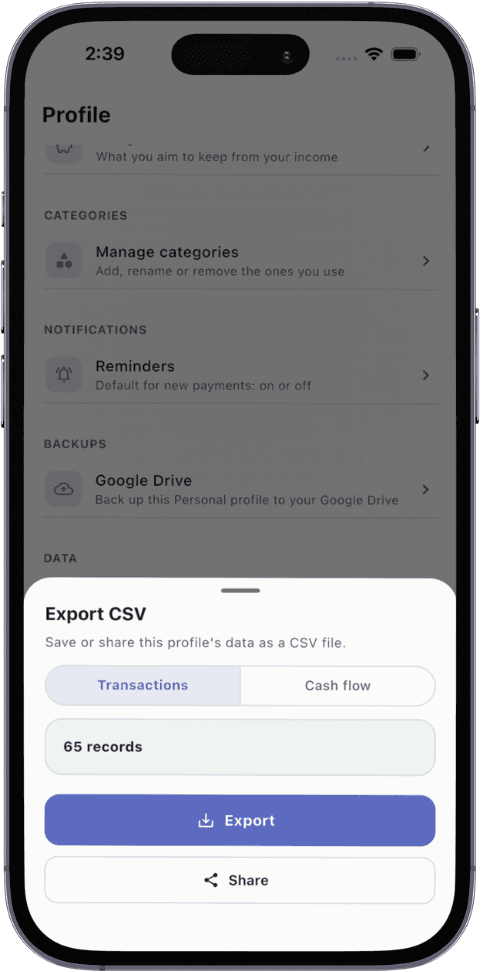
Export transactions or cash flow as a CSV file. It opens in Excel, Google Sheets and Numbers.
Contact
Talk to a real person.
Questions, feedback or a bug to report. Get in touch and we'll help.