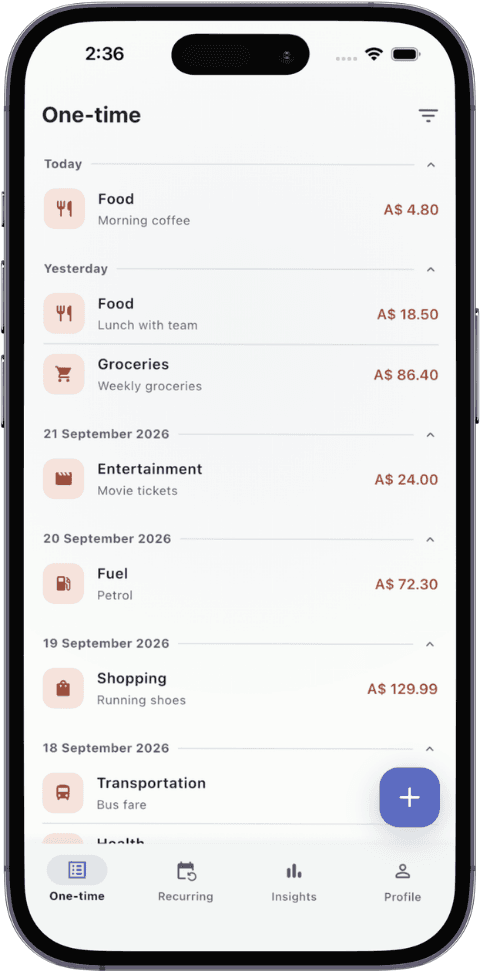
Skip the budget. Track what happens.
Budget plans take ages and most months blow past them anyway. TxnApp shows where every category landed at month end, so next month you spend wiser.
Most money apps want your bank password, read your text messages, or make you plan a budget you'll blow by the 15th. We only ask you to log the amount. Hit save. Add details, edit or delete whenever you like. No accounts, no logins, no passwords to forget.
The usual way
With TxnApp
Plan a budget for every category
Set one savings goal
Blow past it by mid-month
Spend normally and log as you go
Give up after a few months
See each category at month end, spend wiser next month
Hand over your bank login or SMS
Add entries yourself, accurately
Your data on someone else's server
Your data on your phone and your own Google Drive
How it works
Up and running before your coffee cools.
- 1
Download TxnApp
Free on the App Store and Google Play. Install it and open it.
- 2
Set your basics
Pick your currency and a savings goal. No budget to plan. Add recurring bills and income once.
- 3
Add as you go
Log what you spend and earn, snap receipts if you like. TxnApp keeps the totals, cash flow and goal up to date.
Start with today's coffee.
Download TxnApp free and log your first expense. By the end of the month you'll know exactly where it all went.