TxnApp FAQ
Pricing, privacy, backups, profiles and more. Can't find what you need? Get in touch and we'll help.
FAQ
Questions, answered.
Something else? Email us
Is TxnApp free?
Yes. TxnApp is free to download and every feature is included. The free version shows ads only on the Insights page, never while you're adding or editing entries. If you'd rather not see them, you can remove ads for $0.99 a month.
Do I need to connect my bank account?
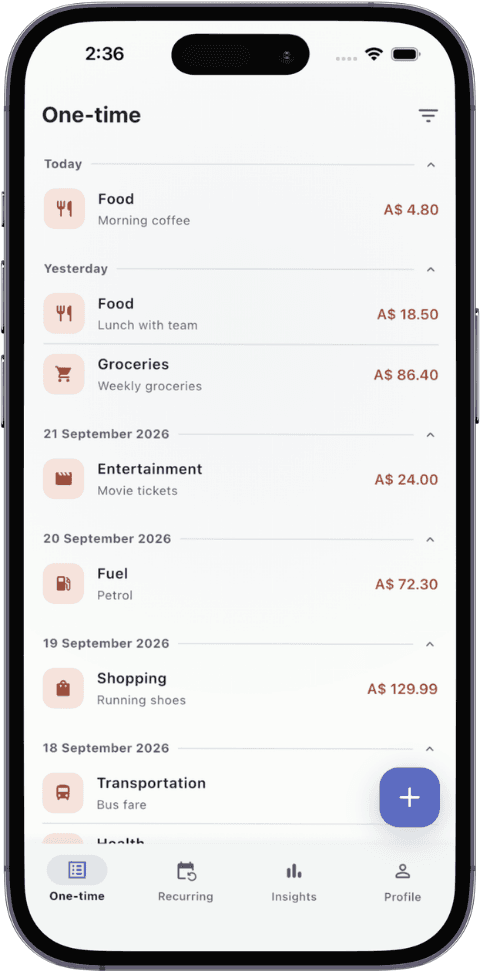
No. You add transactions yourself, which takes a few seconds each. There's no bank login, no card linking and nothing shared with your bank.
Where is my data stored?
On your phone. If you turn on Google Drive backups, the app sends your backup straight to your own Google Drive and reads it back from there when you restore. We don't have access to your personal data.
Why doesn't TxnApp read my SMS messages?
Two reasons. Reading your texts means an app sees far more than payments, which is a real privacy risk. And bank SMS formats vary, so auto-detected amounts and categories are often wrong. You add each entry yourself, so your numbers are accurate.
Is my data used to train AI?
No. Your transactions, receipts and notes are never used to train AI models. Nobody else needs to know your personal finances.
Why does TxnApp ask to connect to Google?
Only for Google Drive backups. Google requires apps to register an OAuth client before they can save files to your Drive, so that's the one technical piece we use. Your backup goes directly from your phone to your Drive. We never receive or see it.
Do I need to set up a budget?
No. Set a savings goal instead. TxnApp shows what each category cost you by the end of the month, so you can adjust next month without planning every line in advance.
Can I attach receipts?
Yes. Take a photo with your camera or choose one from your gallery and attach it to any transaction. You can edit entries and receipts later.
How do profiles work?
Each profile is completely separate, with its own transactions, categories, reminders, currency and settings. Every new profile comes with 20+ categories you can add to or delete, and each profile backs up to and restores from Google Drive on its own.
Can I use my own currency?
Yes. Choose a currency for each profile and every amount in that profile uses it. Handy if you keep a separate profile for travel or for money in another country.
What happens when I change phones?
Back up to Google Drive on your old phone, install TxnApp on the new one, connect the same Google account and restore. You can also export everything to CSV and import it again.
Can I get my data into a spreadsheet?
Export transactions or cash flow as a CSV file. It opens in Excel, Google Sheets and Numbers.
Contact
Talk to a real person.
Questions, feedback or a bug to report. Get in touch and we'll help.
Start with today's coffee.
Download TxnApp free and log your first expense. By the end of the month you'll know exactly where it all went.